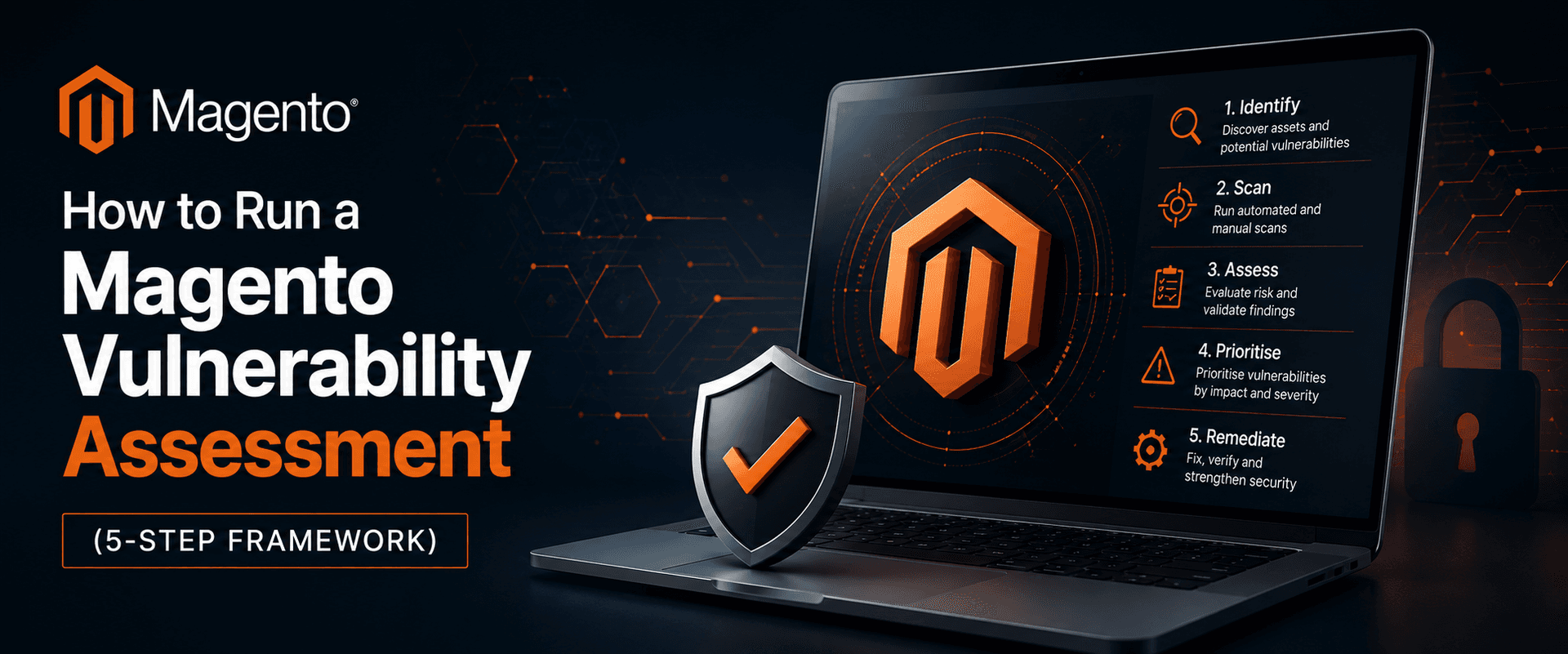
In short: A Magento vulnerability assessment is a systematic review of your store (its software, extensions, configuration, access controls, and payment pages) that finds security weaknesses before attackers do. The five steps are: scope your environment, run vulnerability scans, check your patch level against known CVEs, audit configuration and access, then prioritise, fix, and re-test. Running it regularly is what keeps a Magento store secure.
What is a Magento vulnerability assessment?
A Magento vulnerability assessment is a structured process for finding, ranking, and prioritising the security weaknesses across your store and its infrastructure. People also call it a Magento security assessment or a security check, and it’s different from a penetration test. An assessment finds and catalogues the gaps; a pen test actively tries to exploit them. Think of it as the diagnostic that tells you what to fix first.
It matters because most Magento breaches don’t rely on clever, never-seen-before attacks. They exploit known, already-patched flaws on stores that nobody checked. Knowing what you’re looking for is half the job, so here are the categories that come up most often:
| Vulnerability type | What it looks like on Magento | Why it matters |
|---|---|---|
| Unpatched core | Running a version that’s missing the latest Adobe security patch | Most breaches exploit known, already-patched flaws |
| Vulnerable extensions | Outdated, abandoned, or poorly coded third-party modules | A single flawed extension can expose the whole store |
| Weak admin access | No two-factor auth, default admin path, reused passwords | A direct route to full store takeover |
| Client-side / e-skimming | Unmonitored scripts on the checkout page (Magecart) | Steals card data in the browser, bypassing server defences |
| Misconfiguration | Exposed dev files, loose file permissions, missing security headers | Low-effort entry points for automated attacks |
The 5-step Magento vulnerability assessment framework
A thorough assessment moves from mapping your store, through automated and manual checks, to a prioritised list of fixes you’ll actually act on. Here’s the framework at a glance, with each step explained below.
Step 1: Scope and inventory your store
You can’t assess what you haven’t catalogued, so start by mapping everything an attacker could reach. That means recording your Magento edition and exact version, every installed extension and custom module (with version numbers), all third-party integrations and API connections, your hosting and server stack, every admin account and the full payment flow. This inventory becomes the definition of your attack surface, and it’s usually where forgotten admin users and abandoned extensions first turn up.
Step 2: Run vulnerability scans, external and server-side
Use at least two types of scanner, because no single tool sees everything. Adobe’s free Security Scan Tool runs more than 21,000 tests and checks your patch level and known issues from an outside perspective, and you can schedule it to run daily, weekly or on demand. Its limitation matters, though: it scans from the outside and can’t inspect your file system or database. Pair it with a reputable server-side scanner (Sansec’s eComscan is a widely used example) that inspects your files and database for the injected malware and backdoors an external scan wouldn’t catch.
Step 3: Check your patch level against known CVEs
Confirm your store is running the latest Adobe security patches, then cross-check it against published vulnerabilities. Adobe releases regular security bulletins (the APSB series), and attackers routinely reverse-engineer those patches within days to target stores that haven’t applied them. The risk isn’t theoretical. When the critical SessionReaper vulnerability (CVE-2025-54236) was disclosed in late 2025, security firm Sansec reported that only around a third of Magento stores had been patched in the weeks that followed, leaving the majority exposed to active exploitation. Check your extensions against their own advisories too, since third-party code is one of the most common ways in.
This is a recurring pattern, not a one-off. Shoplift (2015), TrojanOrder (2022) and CosmicSting (2024) each compromised thousands of stores within days of disclosure. We’ve catalogued the most significant Magento vulnerabilities and the lessons they teach separately, and it’s worth understanding the history, because the next one will follow the same script.
Step 4: Audit configuration, access and the client side
Now review the settings that automated scanners tend to miss. This is where experience pays off. Work through two-factor authentication on every admin account, a non-default admin URL, strong and unique passwords with least-privilege roles, TLS 1.2 or higher, security headers such as a Content Security Policy, tight file permissions, rotated API tokens and encryption keys, and any unused features that should simply be switched off. Pay particular attention to the scripts loading on your checkout, because payment-page monitoring is now both a security essential and a compliance requirement, covered in our guide to PCI compliance for Magento stores.
It’s worth knowing that this is exactly the gap behind the two largest UK ecommerce data-protection fines. Both the £20m British Airways penalty and the £1.25m Ticketmaster penalty came from malicious or compromised scripts on the payment page. An assessment that includes the client side is what catches that before an attacker does.
Step 5: Prioritise, fix and retest (then repeat)
Rank every finding by severity, fix the critical issues first, then re-scan to confirm they’re genuinely resolved. A long list of vulnerabilities only becomes useful once it’s triaged, so use a severity rating such as CVSS to decide the order, patch critical issues straight away (test in staging, then deploy to production quickly), document what you changed and re-run your scans to verify. The important part is that a vulnerability assessment is a cycle, not a one-off. Schedule recurring scans and repeat the full process after any major change, so new weaknesses get caught while they’re still cheap to fix.
Scope & inventory
Focus
Map your version, extensions, integrations, and access
Result
A defined attack surface
Vulnerability scans
Focus
External and server-side scanning
Result
A list of detected issues and malware
Patch & CVE review
Focus
Your version against Adobe Security Bulletins
Result
A missing-patch gap list
Configuration & access audit
Focus
Admin, TLS, headers, client-side, APIs
Result
A hardening checklist
Prioritise, fix & re-test
Focus
Triage by severity, remediate, verify, schedule
Result
A ranked remediation plan and a cadence
How often should you run a Magento security check?
Run a full security check at least quarterly, and again after any major change. That includes a version upgrade, a new extension, a checkout redesign, or an infrastructure migration. Between assessments, keep automated vulnerability scans running weekly or daily so new issues surface fast. Security isn’t a one-time event, it’s a habit.
Key takeaways
- A Magento vulnerability assessment finds and prioritises security weaknesses before attackers exploit them. It’s distinct from a penetration test, which actively tries to break in.
- Most Magento breaches exploit known, already-patched flaws, so checking your patch level against Adobe’s Security Bulletins is one of the highest-value steps.
- No single tool catches everything, so pair an external scanner (such as Adobe’s free Security Scan Tool) with a server-side scanner that inspects your files and database.
- Manual configuration and access review (admin 2FA, security headers, checkout scripts) covers the gaps automated scans miss.
- Treat the assessment as a recurring cycle, not a one-time event, and re-run it after every major change.
A Magento vulnerability assessment tells you where your store stands today. Keeping it secure over time, through hardening, monitoring, patching, and incident response, is a broader discipline. For the complete picture, explore our guide to Magento security, or start with a free Magento security scan.
Frequently asked questions
What is a Magento vulnerability assessment?
It’s a systematic review of your Magento store and its infrastructure that identifies, classifies, and prioritises security weaknesses, covering core software, extensions, configuration, access controls, and payment pages. The goal is to find and rank the gaps so you can fix the most dangerous ones first, before they’re exploited.
How often should I run a Magento vulnerability assessment?
At a minimum, run a full assessment quarterly, and again after any major change such as a version upgrade, a new extension, a checkout redesign, or a migration. Between assessments, schedule automated scans weekly or daily so new issues show up quickly. Security’s continuous, not annual.
Is the Magento Security Scan Tool enough on its own?
No. Adobe’s Security Scan Tool is valuable and free, but it scans from the outside and can’t inspect your file system or database. Pair it with a server-side scanner and a manual configuration review to cover the gaps it can’t see.
What’s the difference between a vulnerability assessment and a penetration test?
A vulnerability assessment is broad and largely automated, and it finds and catalogues as many weaknesses as possible. A penetration test is narrower and more manual: a tester actively exploits weaknesses to show how far an attacker could get. Assessments tell you what’s wrong; pen tests prove what’s exploitable. Most stores should do assessments regularly and pen tests periodically.
Does Adobe Commerce Cloud handle vulnerability assessment for me?
Partly. Adobe Commerce Cloud covers infrastructure-level security, but application-level controls (your extensions, custom code, configuration, admin access, and patch currency) stay your responsibility under Adobe’s shared-responsibility model. You still need to assess the parts you control.
What are the most common Magento vulnerabilities?
The most frequent are unpatched core software, vulnerable or outdated third-party extensions, weak admin access (no two-factor authentication, default admin paths, reused passwords), client-side e-skimming on checkout pages, and basic misconfigurations such as exposed files or missing security headers.

WRITTEN BY
Marcin Szterling
Marcin Szterling is a lead Magento developer and Adobe-certified Master Architect with more than ten years of experience on Adobe Commerce and more than 30 years in web development. He specialises in complex multi-store, multi-currency builds and Commerce deployments, with 50+ Magento projects successfully delivered.